
Accessibility and Inclusivity
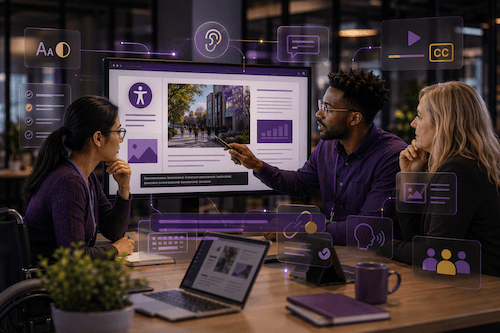
Accessibility and inclusion mean designing content, services, learning, communication and workplaces so that people can take part confidently, independently and with dignity. This applies to both digital and physical environments.
When accessibility is built into how we design and deliver our work, it improves the student and colleague experience. It is everyone’s responsibility to ensure our environments are accessible and inclusive. It is a legal requirement.
Within the digital environment, this is required for all content we produce regardless of whether it is a Word document shared for a meeting or Canvas learning content for our students. It includes ensuring plain language, meaningful headings, readable layouts, accessible documents, captions or transcripts, inclusive meeting practices and tools that work with assistive technologies.
Enhance your practice
Accessibility & Inclusivity is a layer across all Digital Capabilities, and you can find specific information aligned to each capability.
As an institution, we need to ensure all the content we produce is accessible and inclusive. This includes every Word document we produce for a meeting through to learning content we produce for Canvas.
Below you can find specific courses and resources to help you get started.
- Creating accessible and inclusive content: This essential course explores the principles of Universal Design for Learning (UDL) and discusses how proactive design choices can help reduce barriers from the outset.
- Accessibility for web editors: In the digital work environment, we are all web editors. Although this content specifically uses T4, our Content Management System, as its case study, the learnings are equally as applicable to SharePoint, Word documents, and Canvas learning content.
- Digital Inclusion: This website provides useful information and practical guidance and support to help you build accessibility into your digital content and resources. You don’t need to be an expert: small, informed changes can make a real difference
- Accessibility and Inclusion with Copilot: In this three-part webinar series, you can see how Copilot can support more inclusive ways of working. Explore tools and techniques that can help with reading, writing, communication and productivity needs across a wide range of scenarios.
- M365 Accessibility resources: Accessibility is about ensuring everyone can fully participate and contribute. The resources on this page will help you discover how accessible Microsoft 365 (M365) technology benefits us all to be able to work more effectively.
Accessible by Design
Accessible by Design means considering accessibility from the start when creating documents, presentations, web pages, videos, or learning resources. By making simple, inclusive choices early, you help ensure everyone can access, understand, and use your content.
Good accessibility benefits everyone, not just disabled users. It improves clarity, usability, and the overall experience for all colleagues and learners.
We can all create accessible content by:
- Use clear, plain language and logical headings.
- Structure content with built-in heading styles rather than changing font size alone.
- Add meaningful alternative text to images and graphics.
- Ensure sufficient colour contrast and avoid relying on colour alone to convey meaning.
- Use descriptive link text (for example, View the Digital Skills Framework rather than Click here).
- Create accessible tables with clear headers and avoid complex layouts.
- Add captions and transcripts to video and audio content.
- Use accessibility checkers in Microsoft 365 and other tools before publishing.
Remember: Accessibility is most effective when it is considered from the start of the content creation process, not as a final check before publication.
Develop your capability
Below you can find some useful development opportunities so you you can develop your digital capability.


AI Hub
View the AI Hub for latest University AI information
Copilot
Check on the latest updates with Copilot
Digital Inclusion
View the University Digital Inclusion webpages